---
title: Resolve - Left and Return register
description: Quickly and easily record councillors physically leaving and returning to the meeting
---

[Skip to content](https://info.redmansolutions.com.au/resolve-knowledge-base/resolve-left-and-return-register#main-content)

[Submit Ticket](https://info.redmansolutions.com.au/resolve-knowledge-base/kb-tickets/new) [Customer portal](https://info.redmansolutions.com.au/tickets-view)

![Resolve](https://info.redmansolutions.com.au/hs-fs/hubfs/resolve-logo.png?width=100&height=75&name=resolve-logo.png)

Open main navigation

Close main navigation

- [Submit Ticket](https://info.redmansolutions.com.au/resolve-knowledge-base/kb-tickets/new)
- [Customer portal](https://info.redmansolutions.com.au/tickets-view)

 How can we help you?

- There are no suggestions because the search field is empty.

1. [Resolve Knowledge Base](https://info.redmansolutions.com.au/resolve-knowledge-base)
2. [Meeting Admin](https://info.redmansolutions.com.au/resolve-knowledge-base/meeting-admin)
3. [Minutes](https://info.redmansolutions.com.au/resolve-knowledge-base/meeting-admin#minutes)

# Resolve - Left and Return register

## Quickly and easily record councillors physically leaving and returning to the meeting

Easily record councillors leaving and returning to the chambers with the left and returned register. 

To activate this feature, [please contact the Redman Solutions Support team](mailto:help@redmansolutions.com) for assistance.

Once turned on you will need to [Create a Minute snippet](https://info.redmansolutions.com.au/resolve-knowledge-base/resolve-add-text-snippets) with the wording you want and then configure per each meeting type. 

Here is an example of two minute snippet text. 

Cr \[LEFT\_RETURN\_USER\] left the meeting at \[CURRENT\_TIME\_LOWER\].

Cr \[LEFT\_RETURN\_USER\] returned to the meeting at \[CURRENT\_TIME\_LOWER\].

To set the snippets to automatically assign, go to 

Site setting  
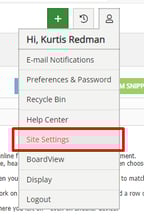
![](https://info.redmansolutions.com.au/hs-fs/hubfs/image-png-Dec-02-2024-12-24-08-7597-AM.png?width=144&height=216&name=image-png-Dec-02-2024-12-24-08-7597-AM.png)

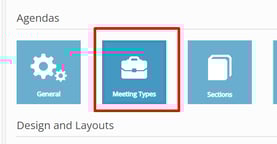
Then meeting types

![](https://info.redmansolutions.com.au/hs-fs/hubfs/image-png-Dec-02-2024-12-24-34-3911-AM.png?width=277&height=145&name=image-png-Dec-02-2024-12-24-34-3911-AM.png)

Then select the meeting type you want to set up 
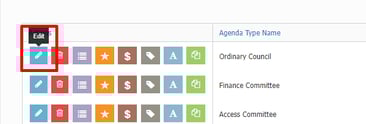
![](https://info.redmansolutions.com.au/hs-fs/hubfs/image-png-Dec-02-2024-12-25-13-3845-AM.png?width=366&height=125&name=image-png-Dec-02-2024-12-25-13-3845-AM.png)

Then under minutes tab add your left and return snippets to the left and return actions.   
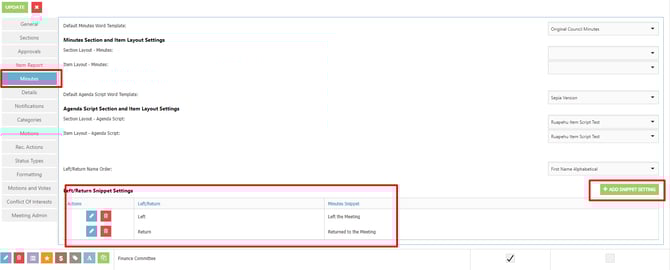
![](https://info.redmansolutions.com.au/hs-fs/hubfs/image-png-Dec-02-2024-12-26-17-7886-AM.png?width=670&height=270&name=image-png-Dec-02-2024-12-26-17-7886-AM.png)

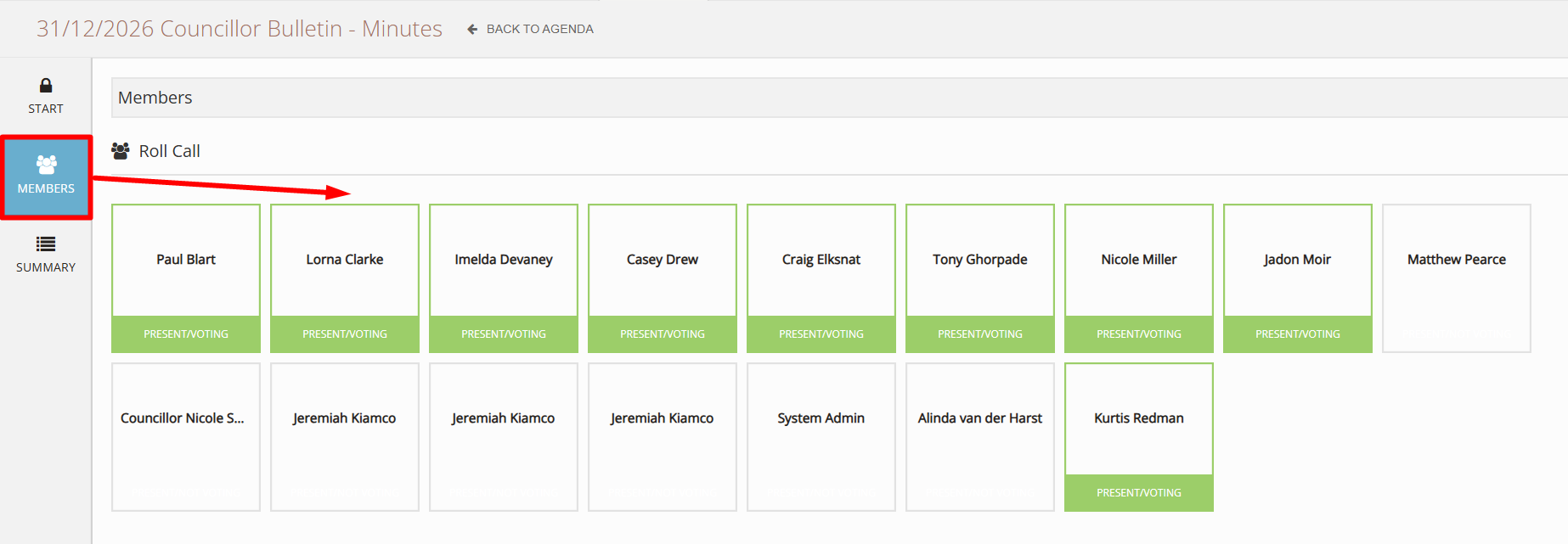
Now you can go to the meeting minutes section and simulate councillors leaving and returning 

**Note:**  For names to be available to use with the Left / Return register 'Orange Door' button, the Roll call needs to have been completed under the **\[Members\]** tab of the Minutes screen.

![](https://info.redmansolutions.com.au/hs-fs/hubfs/image-png-Sep-23-2025-01-34-31-5692-AM.png?width=1846&height=641&name=image-png-Sep-23-2025-01-34-31-5692-AM.png)


- [Councillor Portal](https://info.redmansolutions.com.au/resolve-knowledge-base/councillor-portal)
- [Meeting Admin](https://info.redmansolutions.com.au/resolve-knowledge-base/meeting-admin#main-content)


    - [Minutes](https://info.redmansolutions.com.au/resolve-knowledge-base/meeting-admin#minutes)
    - [Meeting Configuration](https://info.redmansolutions.com.au/resolve-knowledge-base/meeting-admin#meeting-configuration)
- [Report Writing](https://info.redmansolutions.com.au/resolve-knowledge-base/report-writing#main-content)


    - [Getting Started](https://info.redmansolutions.com.au/resolve-knowledge-base/report-writing#getting-started)
    - [Approvals](https://info.redmansolutions.com.au/resolve-knowledge-base/report-writing#approvals)
- [Site Administrator](https://info.redmansolutions.com.au/resolve-knowledge-base/site-administrator#main-content)


    - [Media and Streaming](https://info.redmansolutions.com.au/resolve-knowledge-base/site-administrator#media-and-streaming)
- [Notifications](https://info.redmansolutions.com.au/resolve-knowledge-base/notifications)
- [Internal](https://info.redmansolutions.com.au/resolve-knowledge-base/internal)
- [General](https://info.redmansolutions.com.au/resolve-knowledge-base/general)

[![redman-solutions-primary-logo-RGB_transparent-1](https://info.redmansolutions.com.au/hs-fs/hubfs/Images/Logos/redman-solutions-primary-logo-RGB_transparent-1.png?width=400&height=113&name=redman-solutions-primary-logo-RGB_transparent-1.png "redman-solutions-primary-logo-RGB_transparent-1")](https://www.redmansolutions.com.au/)

Level 1, 40 McDougall St, Milton, QLD 4064

Contact Support: [help@redmansolutions.com](mailto:help@redmansolutions.com)

Copyright © 2025, Redman Solutions

```json
{
  "@context" : "https://schema.org",
  "@type" : "VideoObject",
  "caption" : {
    "@type" : "MediaObject",
    "contentUrl" : "https://info.redmansolutions.com.au/media-transcripts/183401507403/en.vtt",
    "inLanguage" : "en",
    "name" : "en Captions"
  },
  "contentUrl" : "https://40228813.fs1.hubspotusercontent-ap1.net/hubfs/40228813/LEFTANDRETURNED.mp4",
  "dateModified" : "2025-07-23T11:06:58.744Z",
  "duration" : "PT18S",
  "height" : 1080,
  "name" : "LEFTANDRETURNED",
  "thumbnailUrl" : "https://40228813.fs1.hubspotusercontent-ap1.net/hubfs/40228813/LEFTANDRETURNED.mp4/medium.jpg",
  "uploadDate" : "2024-12-02T00:17:59.525Z",
  "width" : 1920
}
```